Kanban Views, Redesigned Review Page, Global Search, and more - v1.3
January 5, 2026
Operately v1.3 is here! This release brings Kanban views for project and space tasks, a redesigned Review Page, Global Search, and many other improvements to help your team work better together.
Project Tasks Kanban: Plan and execute on a Kanban board#
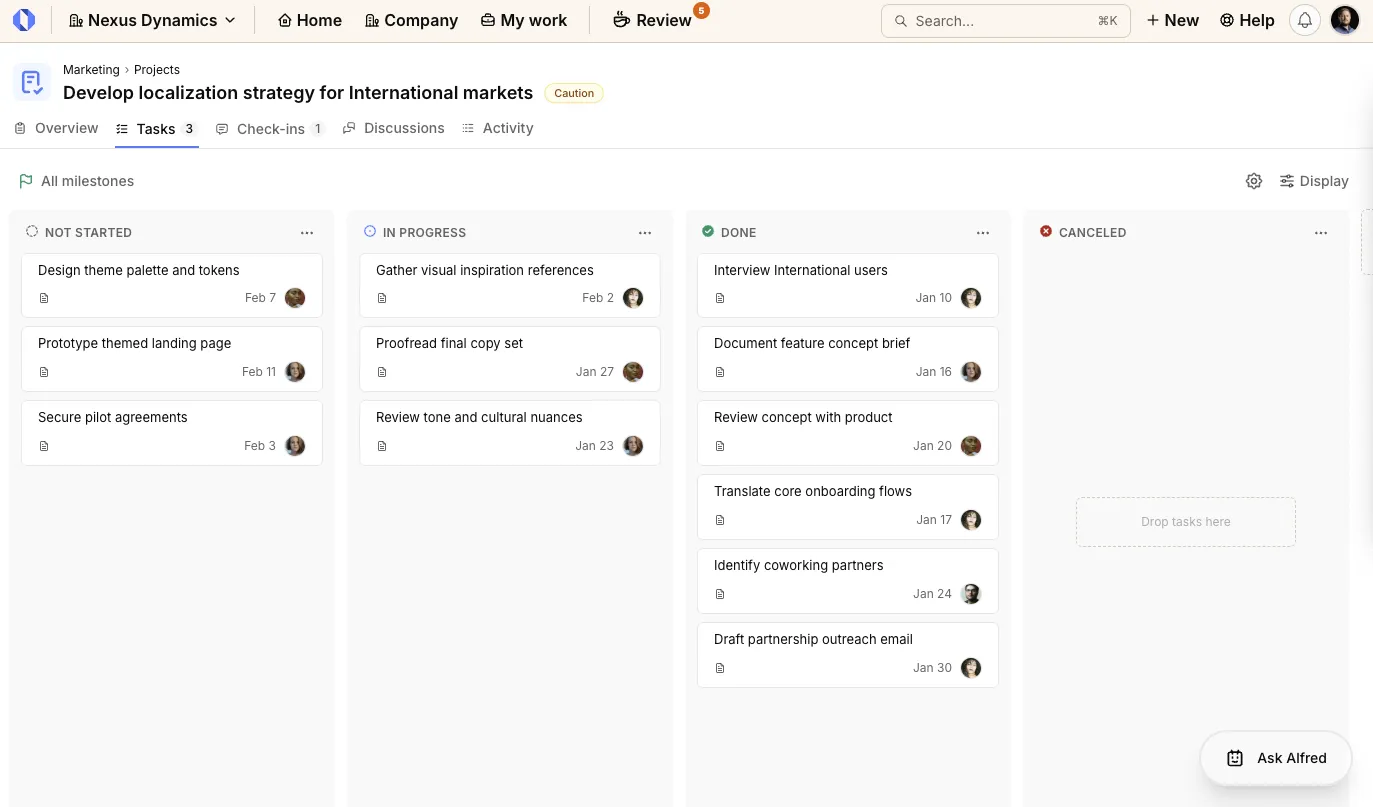
Projects now have a Kanban view for tasks that shows task statuses at a glance, with custom statuses configurable per project.
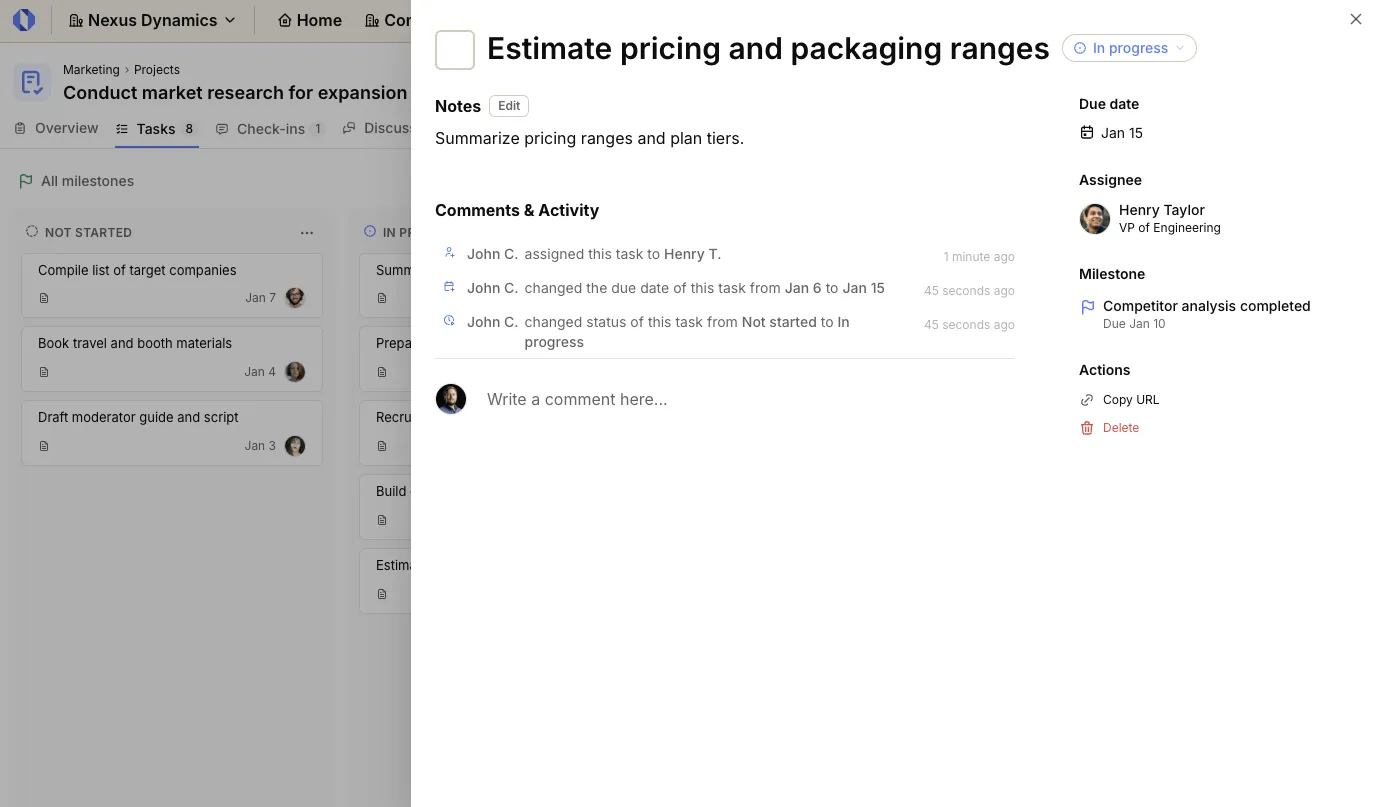
Slide-in task details: Click any task card to open a slide-in view with the task description, status, due date, comments, and activity timeline. You can review or update task details without leaving the page.
Space Tasks Kanban: Manage team work at the space level#
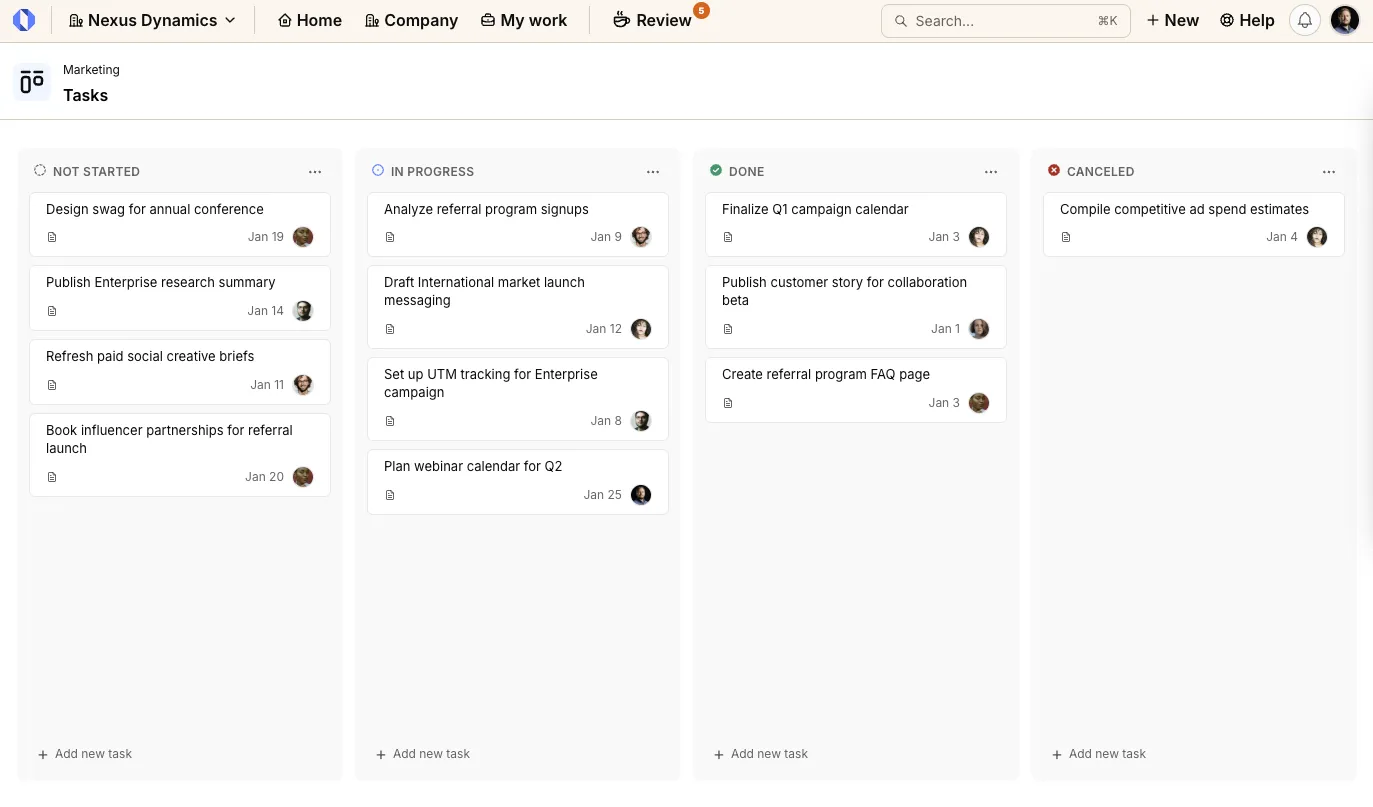
Spaces can now host tasks that are not tied to a specific project. This is perfect for ongoing team work, operational checklists, and shared ownership.
You get the same Kanban experience as projects, including drag-and-drop columns, custom statuses, and the slide-in task view, so space-level work stays just as organized.
Redesigned Review Page: See all work that needs your attention#
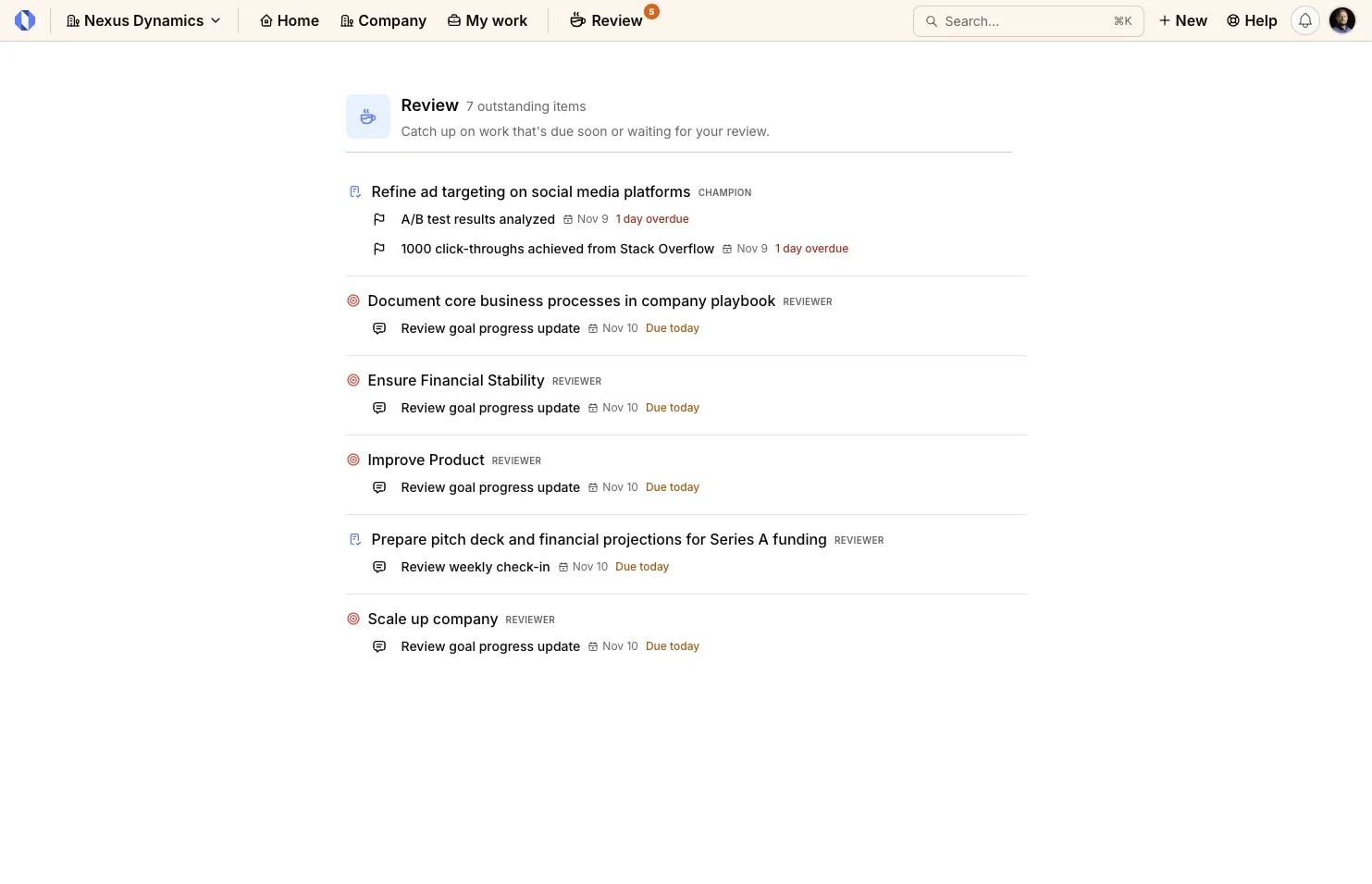
The Review Page has been completely redesigned to give you a comprehensive view of everything that needs your attention. Previously, the page only showed check-ins and reviews. Now it includes due milestones and tasks alongside check-ins and reviews.
Better organization through resource grouping: Review items are now grouped by their parent resource—Goals and Projects. This makes it easy to see all the work related to a specific goal or project in one place.
Whether you’re an owner responsible for delivering work or a reviewer providing feedback, the new Review Page shows exactly what needs your attention and when.
Global Search: Find anything, instantly#
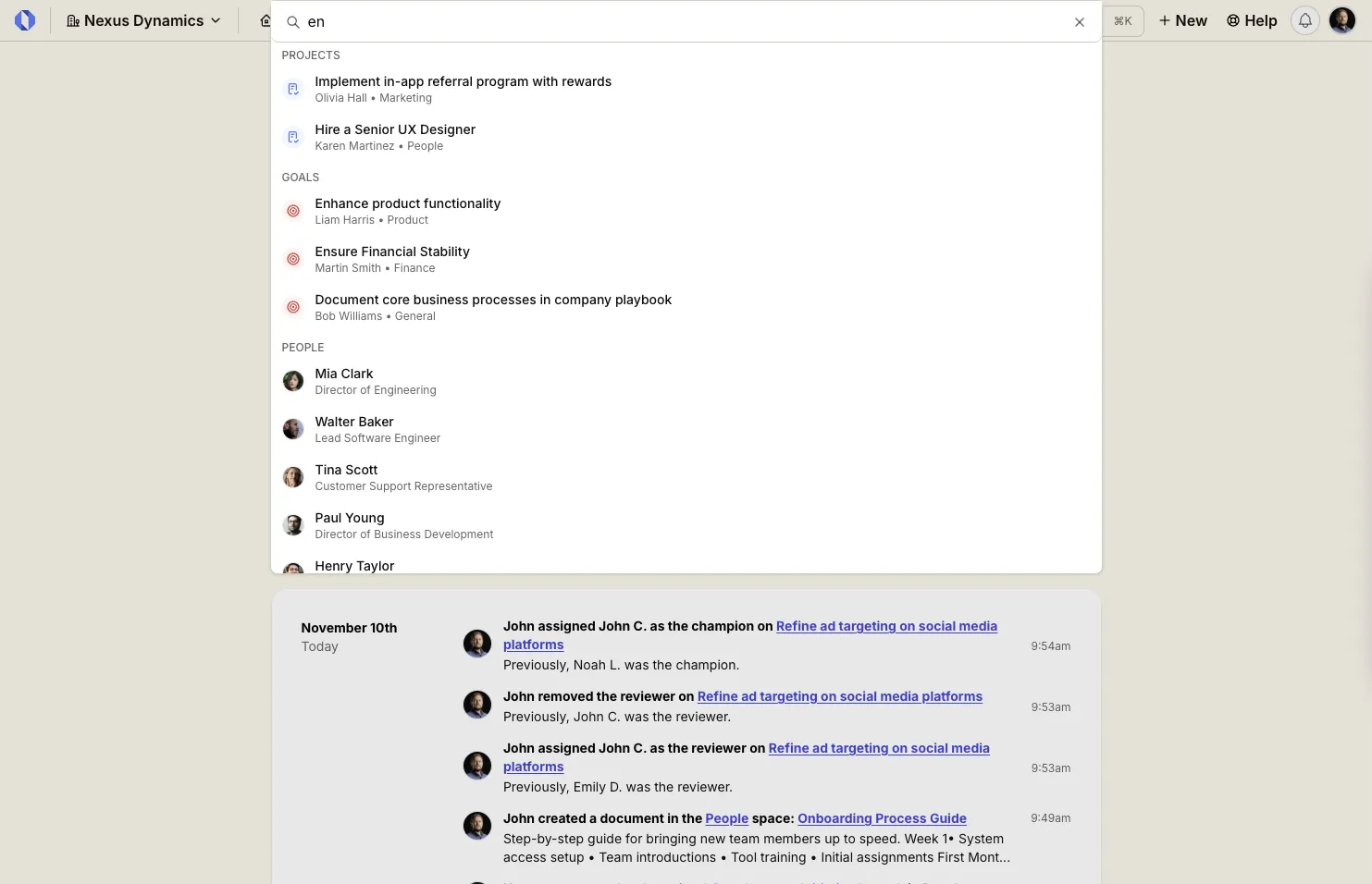
Finding specific goals, projects, tasks, or people across your organization is now effortless. The new Global Search in the navbar lets you search across all resources and get instant results.
Start typing in the search bar, and you’ll immediately see matching:
- Goals with their champions and spaces
- Projects with their owners and teams
- Milestones with their projects and spaces
- Tasks with their assignees and parent projects
- People with their roles and titles
Search results are organized by resource type, making it easy to scan and find exactly what you’re looking for. Click any result to jump directly to that resource’s page.
Global Search is always accessible from the navbar.
Profile Tasks Tab: See your current work in one place#
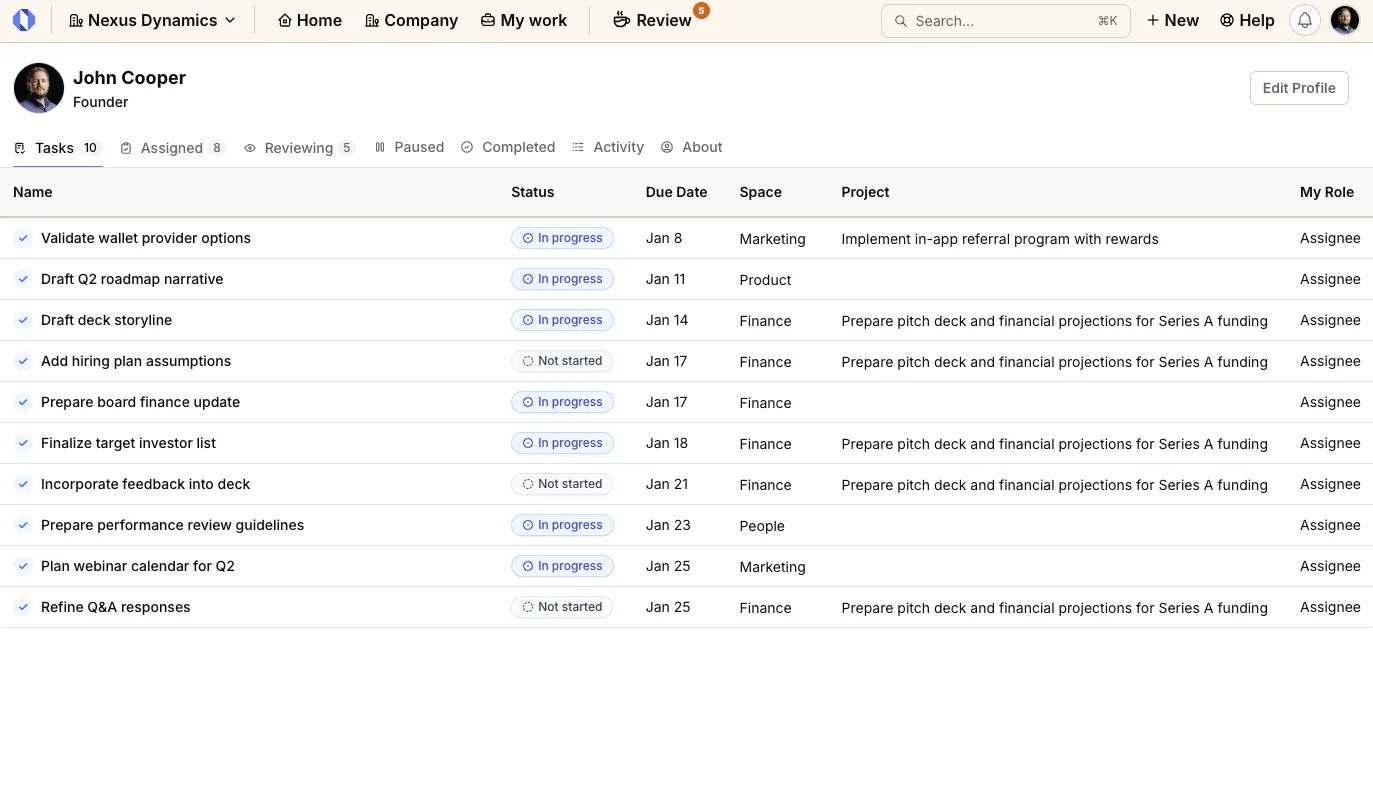
Profile pages now include a Tasks tab that shows ongoing tasks assigned to each person. It is a quick way to review what’s in progress, what is coming up, and where attention is needed.
Space Tools: Enable only tools that your team needs#
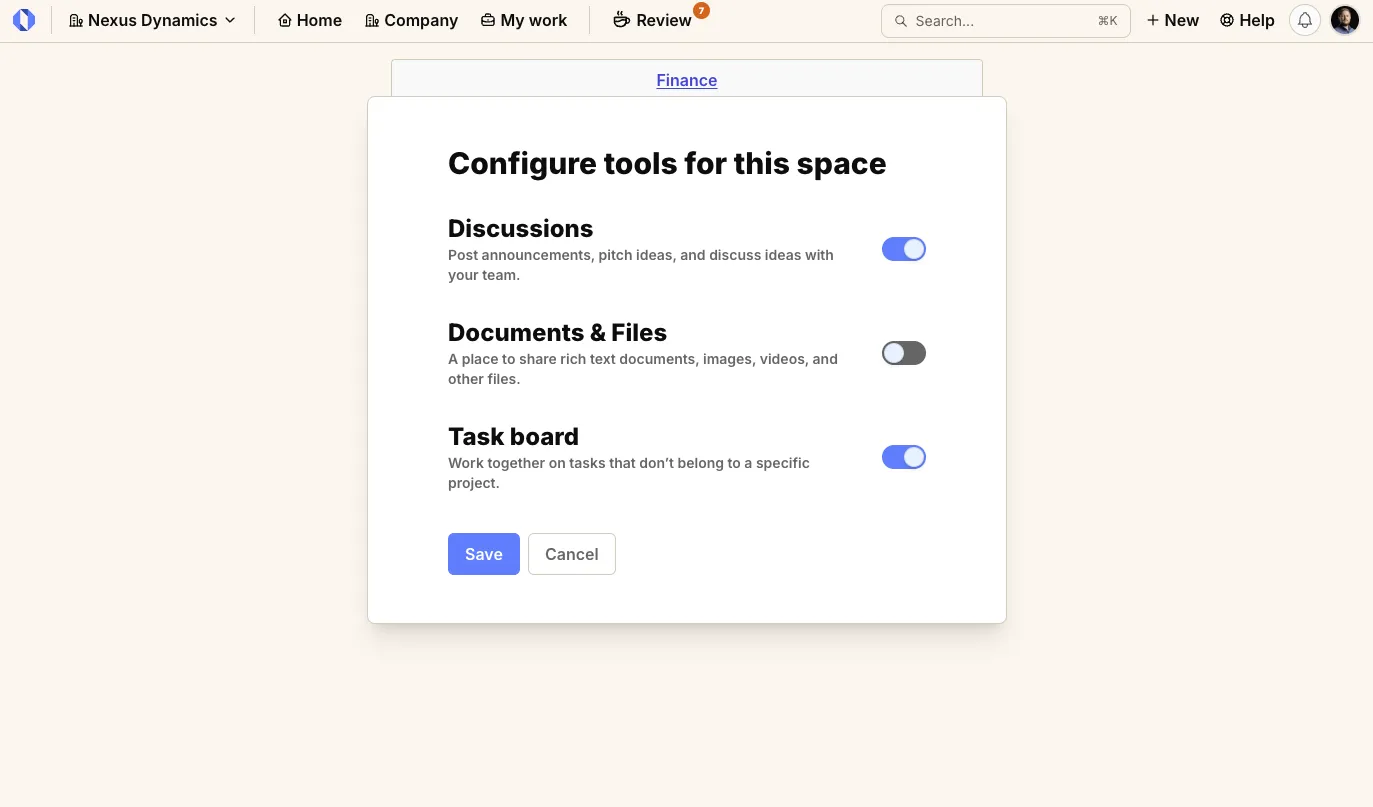
Space admins can now enable or disable tools for each space, including the Resource Hub, Discussions, and Tasks. Keep each space focused on the workflows that matter, and hide sections your team does not use.
Team Invite Links: Invite your whole team with a single link#
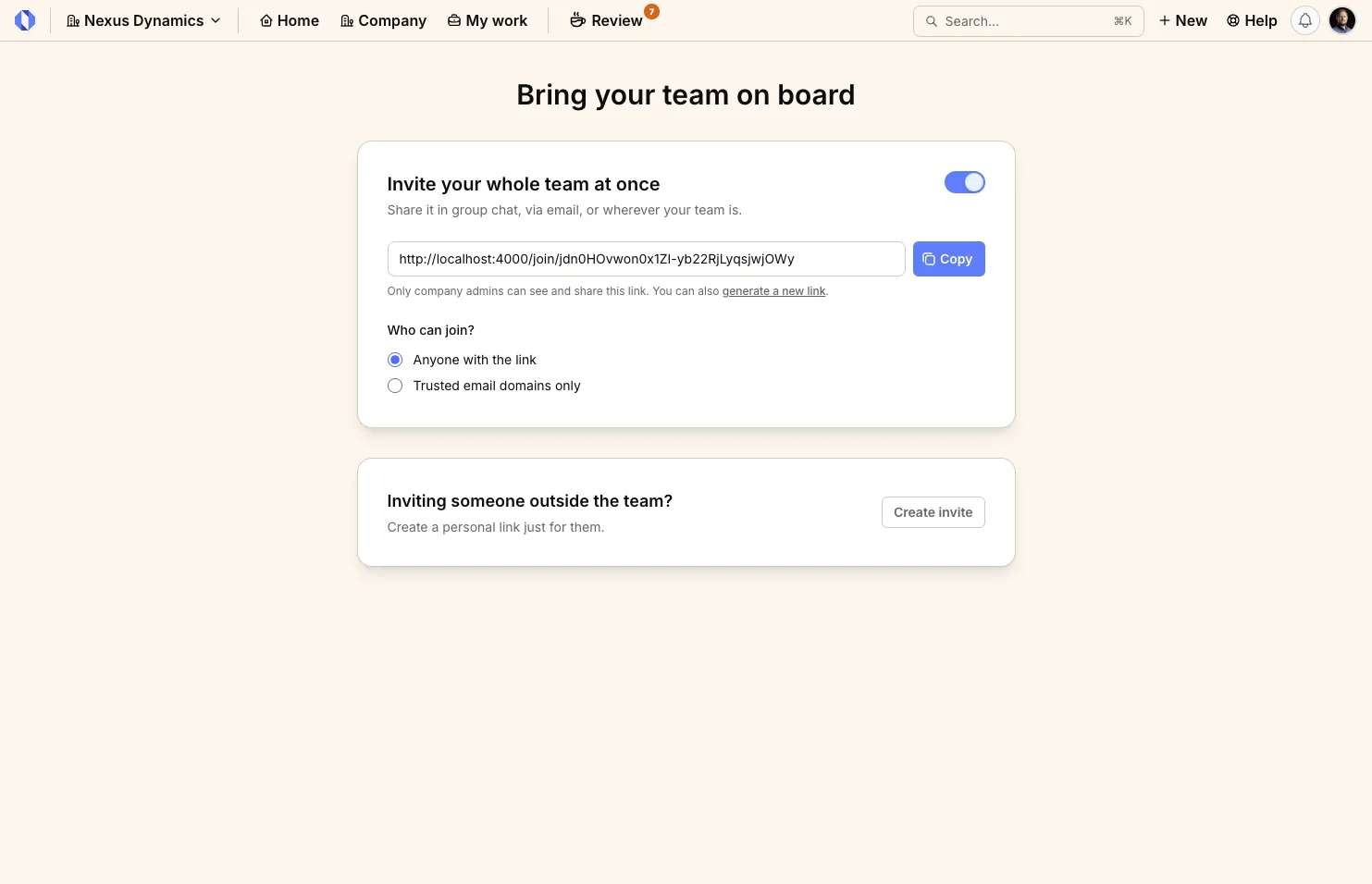
Inviting team members one by one is tedious and time-consuming. With Team Invite Links, you can now generate a shareable link that lets anyone join your organization instantly.
This is perfect for:
- Onboarding entire departments or teams at once
- Quickly expanding your organization as you grow
You maintain full control over invite links—enable or disable them as needed, and regenerate new links which automatically invalidates the previous one for enhanced security.
Additional Features#
This release also includes several enhancements based on user feedback:
Subscriptions for Projects, Milestones, and Tasks: Subscribe to specific projects, milestones, and tasks to receive notifications whenever they’re updated. Follow work outside your direct responsibilities without being overwhelmed.
Comment Management: Delete comments and copy direct links to any comment for easy reference and sharing.
Space Deletion: Delete spaces that are no longer needed with cascade cleanup that removes all associated projects, goals, and content.
Expanded Emoji Reactions: The emoji reactions palette has been expanded with search functionality, making it easy to find the perfect emoji from a much larger collection.
Profile Picture Updates: Update your profile picture directly from your profile settings to personalize your account.
Milestone Drag-and-Drop Reordering: Reorder milestones using drag-and-drop in the Overview tab on the Project page to quickly reorganize your project timeline.
Sign up for Operately#
Ready to experience Operately v1.3? Sign up for a free account and see how these new features can transform how your team works together.
Self-host in 5 minutes#
Prefer to use your own infrastructure? Follow our self-hosted installation guide to get Operately running on your servers in minutes.
If you are already running the self-hosted version, follow the upgrade guide to update to the latest release.
Join the Operately community#
Operately is open source and available under the Apache 2.0 license. Join our growing community of users and contributors:
- Star the repository on GitHub to show your support
- Join our Discord server to connect with the team and community
- Contribute by submitting bug reports, feature requests, or code on GitHub
- Share Operately with your network and help us grow
Special thanks to our contributors#
We’re grateful for everyone who has contributed to making Operately better. Your feedback, bug reports, feature suggestions, and code contributions help shape the product for the entire community. Thank you for being part of this journey with us.
Your contributions help make Operately better for everyone. Thank you!
— The Operately Team